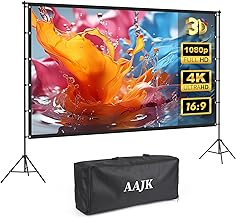
The TOWOND Projector Screen with Stand, 100 inch offers a reliable, freestanding solution that is perfect for both indoor and outdoor use, featuring rear and front projection capability.
Crucial Metrics: Gain and Viewing Angle
When shopping for a **projector screen**, two technical specifications stand out: gain and viewing angle.
Gain Explained
Gain is a measurement of how much light the screen reflects back toward the audience compared to a standard white reference surface (which has a gain of 1.0).
- High Gain (e.g., 1.3 to 2.0): These screens reflect more light, making the image brighter. They are excellent for environments with some ambient light or when using a lower-lumen projector. The trade-off is a narrower viewing cone; the image may look dimmer or distorted if viewed from an extreme side angle.
- Low Gain (e.g., 0.8 to 1.0): These screens distribute light more evenly across a wider angle, ensuring a consistent image regardless of where the viewer is sitting. They are best used in dark, dedicated home theaters.
Viewing Angle
The viewing angle dictates how far off-center a viewer can sit before the image quality begins to degrade. Screens designed for ambient light rejection (ALR) often have narrower viewing angles because they are highly directional in reflecting light back toward the viewer.
Ambient Light Rejecting (ALR) Screens
If you plan to use your **projector tv** setup in a bright living room, an ALR screen is essential. These screens use specialized optical layers and materials (often gray or black) to absorb light coming from the ceiling or sides, while reflecting light coming directly from the projector lens back to the audience. This drastically improves contrast and color saturation even in daytime viewing conditions.
Featured Fixed and ALR Screens
For premium, permanent installations, especially those utilizing ultra-short throw (UST) projectors, specialized fixed or motorized screens are necessary.

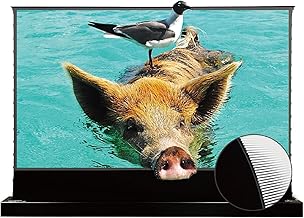
The AWOL VISION 120″ Motorized ALR Floor Rising Projector Screen is a high-end solution, designed specifically for Ultra Short Throw projectors. It rises from the floor and offers 95% ambient light rejection, making it a true TV replacement.
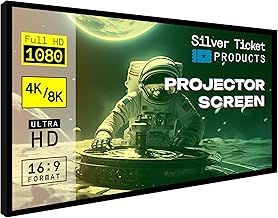
For dedicated home theaters seeking maximum image quality and flatness, the Silver Ticket Products STR Series 120″ Fixed Frame Projection Screen provides a professional, wall-mounted display with a white 1.1 gain surface.
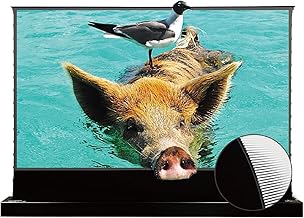
Another excellent UST option, the VIVIDSTORM Motorized Floor Rising UST ALR Projector Screen is tensioned to prevent wrinkles and can be controlled via smart apps, offering a sleek, disappearing installation.

The Elite Screens Sable Frame 120” Fixed Frame Projector Screen is an ISF-certified option, ensuring color accuracy and providing a high-quality fixed installation for premium home cinema.
Buyer’s Checklist: Ensuring Compatibility and Quality
Before finalizing your purchase of a **projector tv and screen** system, use this checklist to ensure all components are compatible and meet your specific viewing needs.
Throw Distance and Lens Type
The throw distance is the distance required between the projector lens and the screen to achieve a desired image size.
- Standard Throw: Requires a long distance (e.g., 10-15 feet) and is typically mounted on the ceiling or placed far back on a shelf.
- Short Throw: Requires less distance (e.g., 3-8 feet).
- Ultra-Short Throw (UST): Sits directly beneath the screen (e.g., 6 inches to 2 feet away). UST projectors are ideal for replacing a traditional TV as they eliminate ceiling mounting and cable management issues.
Size and Aspect Ratio
The standard aspect ratio for modern movies and television is 16:9 (widescreen). Ensure your screen matches the native aspect ratio of your projector to avoid wasting pixels or using excessive masking.
Installation Considerations (Indoor vs. Outdoor)
For outdoor setups, portability, weather resistance, and stability are paramount. For indoor setups, permanence, acoustic transparency (if speakers are behind the screen), and ambient light rejection are key.
Featured Motorized and Retractable Screens
Motorized screens provide the convenience of disappearing when not in use, preserving the room’s decor.

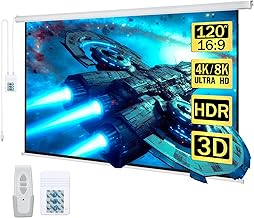
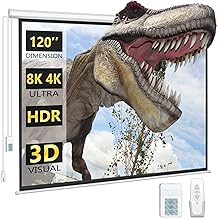
The Aoxun 120 Inch Pull Down Projector Screen offers motorized retraction via remote control, making it simple to deploy a large 4K display for movie night and hide it away afterward.
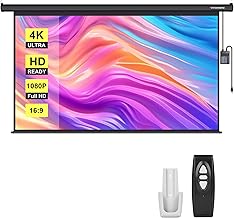
The VIVOHOME Motorized Projector Screen with Remote, 100 Inch provides a high-quality 16:9 surface suitable for wall or ceiling mounting, offering excellent value in a motorized format.
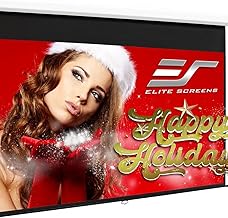
For a reliable manual retraction system from a trusted brand, the Elite Screens Manual B, 100-INCH Projector Screen is a durable, easy-to-install option for a clean look.
Advanced Screen Features for the Projector TV Setup
Beyond the basics of size and material, several advanced features can dramatically improve your home theater experience, especially when aiming to replace a traditional TV.
Acoustically Transparent Screens
If you desire a truly seamless home cinema, consider an acoustically transparent screen. These screens have micro-perforations or woven materials that allow sound from speakers placed directly behind the screen to pass through without degrading the image quality. This placement mimics the setup of commercial movie theaters, ensuring sound is perfectly synchronized with the visuals on screen.
Screen Tensioning
For motorized or pull-down screens, tensioning is vital. Tensioned screens use cables or tabs along the sides to pull the viewing surface taut, preventing wrinkles, curling, or “waves” that can distort the image, especially with high-resolution 4K content.
Featured Specialty and Outdoor Screens
Some screens are built for specific, demanding environments, such as outdoor use or high-performance indoor setups.
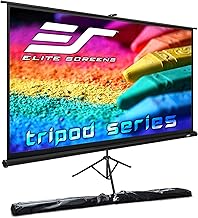
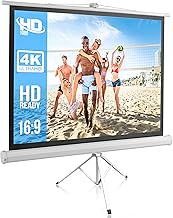
The Elite Screens Tripod, 100-Inch 16:9 Portable Projector Screen with Stand is a classic solution for presentations or temporary setups, offering adjustable height and a reliable tripod base.
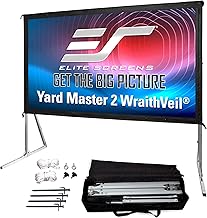
For the ultimate outdoor flexibility, the Elite Screens Yard Master 2 DUAL Projector Screen supports both front and rear projection, making it adaptable for various outdoor lighting and setup constraints.
A smaller, highly portable option is the Elite Screens Tripod Series, 72-INCH, which is quick to set up and ideal for smaller rooms or impromptu gatherings.

The Elite Screens Aeon 120″ Fixed Frame Projector Screen features an “Edge-Free” design, giving the appearance of a massive, frameless TV floating on the wall, perfect for modern aesthetics.
Setting Up Your Projector TV and Screen: A Quick Guide
Once you have selected your perfect **projector tv and screen** components, proper setup is critical to maximizing image quality. Poor alignment or incorrect placement can lead to trapezoidal distortion (keystoning) or blurry edges.
Placement and Alignment
Step 1: Determine Throw Distance. Use the manufacturer’s calculator tool online to find the exact distance needed for your projector to fill your chosen screen size. This prevents guesswork and ensures the image fits the screen perfectly.
Step 2: Mount Securely. Whether using a ceiling mount for a standard throw projector or placing a UST projector on a console, ensure the device is level and securely fixed. Any slight tilt can cause image distortion.
Step 3: Initial Focus and Zoom. Power on the projector and use the optical zoom and focus rings (if available) to get the sharpest possible image that fills the screen borders. Avoid relying solely on digital zoom or keystone correction, as these features reduce image quality.
Calibration for Optimal Viewing
While professional calibration is ideal, you can significantly improve your image quality by adjusting basic settings:
- Brightness and Contrast: Adjust these settings so that pure black areas retain detail without appearing gray, and pure white areas are bright but not “blown out.”
- Color Temperature: Most films are mastered for a color temperature of 6500K (D65). Switching your projector’s color mode to “Cinema” or “Reference” usually gets you closest to this standard.
- Input Lag (for Gaming): If you plan to game on your **projector tv**, ensure you enable “Game Mode” on the projector to minimize processing time and input lag.
The Future of Projector TV Systems
The market for **projector tv and screen** technology is rapidly evolving. Ultra-short-throw (UST) laser projectors are becoming increasingly powerful and affordable, making them direct competitors to large-screen OLED and QLED televisions. When paired with high-performance ALR screens, these systems offer bright, high-contrast images suitable for any room, solidifying the projector’s place as a primary display device, not just a novelty item.
Choosing the right combination requires balancing your budget, the ambient light conditions of your room, and your desired screen size. By prioritizing the screen material and ensuring compatibility with your projector’s throw distance, you can build a truly impressive home cinema experience that traditional televisions simply cannot match.
Product Review Spotlight: Our Top Picks for Screens
To help you start your search for the perfect **projector screen**, here is a recap of some of the best options available today, covering various use cases from portable outdoor fun to dedicated indoor luxury.
Portable Movie Screens
These screens are designed for quick setup and mobility, perfect for taking your viewing experience outside.
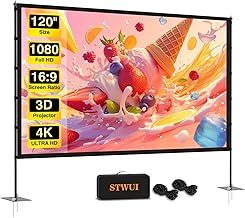
Outdoor Projector Screen with Stand (120 inch): Excellent portability and stability for outdoor events. Supports 4K HD viewing.
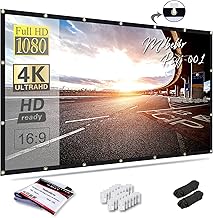
Mdbebbron 120 inch Projector Screen: Highly affordable, foldable, and anti-crease material for easy travel and storage.
The quest for the perfect home entertainment system often leads consumers down one of two paths: a massive, expensive flat-panel television, or a dynamic, scalable **projector TV and screen** setup. For those who crave true cinematic immersion, the latter option offers unparalleled screen size and flexibility, transforming any room—or even a backyard—into a theater.
A modern **projector TV system** is far more sophisticated than the bulky, dim setups of the past. Today’s projectors deliver stunning 4K resolution, brilliant color, and high brightness, making them viable replacements for traditional televisions, especially when paired with the right screen. This comprehensive buyer’s guide and checklist will walk you through everything you need to know to select, purchase, and set up your ideal **projector tv and screen** combination.
Why Choose a Projector TV and Screen Setup?
While flat-panel TVs continue to grow in size, they simply cannot compete with the sheer scale offered by a dedicated projector system. Choosing a **projector tv and screen** setup provides several distinct advantages for serious movie lovers and gamers.
The Cinematic Scale Advantage
The primary benefit of a projector setup is the screen size. Standard televisions typically top out around 85 inches, but a projector can easily throw an image well over 100, 120, or even 150 inches diagonally. This massive scale fundamentally changes the viewing experience, providing the immersive feeling of a commercial cinema right in your home. Watching sports, action movies, or playing large-scale video games becomes a truly spectacular event.
Flexibility and Aesthetics
Unlike a large fixed television that dominates a room, many projector systems offer superior aesthetic flexibility. Motorized screens can retract completely into the ceiling or a cabinet when not in use, leaving a clean, minimalist space. Furthermore, modern short-throw and ultra-short-throw (UST) projectors eliminate the need for long cable runs or ceiling mounting, allowing the projector to sit directly beneath the screen, much like a soundbar or media console.
Key Components of Your Projector TV System
A successful home theater built around a projector requires careful consideration of both the projector itself and the surface onto which it projects. These two elements must work in harmony to deliver optimal image quality.
Projector Technology: DLP vs. LCD vs. LCOS
Understanding the underlying technology is crucial when selecting a projector. The three main types are:
- DLP (Digital Light Processing): Known for sharp images, fast response times, and excellent contrast. Many affordable 4K projectors use DLP. However, some sensitive viewers may experience the “rainbow effect” (a brief flash of color fringing).
- LCD (Liquid Crystal Display): Typically offers better color saturation and brightness than DLP at similar price points. LCD is less prone to the rainbow effect but may have slightly visible pixels (screen door effect) or convergence issues over time.
- LCOS (Liquid Crystal on Silicon): Often found in high-end projectors (like Sony SXRD or JVC D-ILA). LCOS combines the benefits of both technologies, offering superb contrast, deep blacks, and no rainbow effect, but often comes with a higher price tag.
Understanding Resolution (4K, 1080p)
While 1080p (Full HD) projectors are still widely available and affordable, true cinematic quality today demands 4K. Many budget-friendly 4K projectors use pixel shifting technology to achieve the resolution effect, which is generally excellent. High-end projectors offer native 4K resolution, providing the sharpest possible image detail.
Brightness (Lumens)
Brightness, measured in ANSI lumens, determines how well the image holds up in ambient light. For a dedicated, light-controlled theater room, 1,500 to 2,500 lumens may suffice. However, if your **projector tv and screen** setup is in a living room with windows (a common scenario for a TV replacement), you should aim for 3,000 lumens or higher, or invest heavily in an Ambient Light Rejecting (ALR) screen.
Selecting the Perfect Projector Screen
The screen is arguably as important as the projector itself. A poor screen can negate the benefits of an expensive projector, while a high-quality screen can significantly enhance the image clarity, color, and contrast.
Screen Type: Fixed, Manual, Motorized, Portable
The right screen type depends heavily on your installation environment:
- Fixed Frame Screens: These screens are stretched taut over a frame and permanently mounted on the wall. They offer the best possible flatness and image quality, making them ideal for dedicated home theaters.
- Manual Pull-Down Screens: Budget-friendly and retractable, pulled down by hand. The downside is that they can sometimes develop waves or wrinkles over time.
- Motorized Screens: Retract and deploy via remote control or smart home integration. They are excellent for multi-purpose rooms where the screen needs to disappear when not in use.
- Portable Screens: Designed for easy setup and breakdown, perfect for outdoor movie nights or presentations. These often use tripod stands or fast-folding frames.
Featured Portable and Manual Screens
For versatility and ease of use, portable and manual screens are often the first choice for casual users or those setting up an outdoor cinema.
The Outdoor Projector Screen with Stand – 120 inch Portable Projector Screen is a fantastic option for backyard movie nights, offering 4K HD support and a lightweight frame for easy transport.
If you need an ultra-portable solution, the Mdbebbron 120 inch Projector Screen is a foldable, anti-crease cloth screen that supports double-sided projection, ideal for travel or temporary setups.
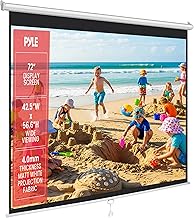
For a permanent, yet budget-conscious indoor solution, the Pyle 72-Inch Manual Pull Down Projector Screen offers a matte white surface and an auto-lock mechanism for consistent height adjustment.
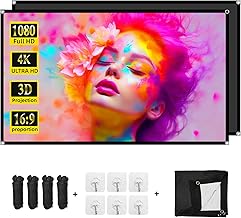
The DUYIKJ Projector Screen 84 inch is a great choice for improving contrast in slightly brighter environments, thanks to its portable black backing that absorbs stray light.
The TOWOND Projector Screen with Stand, 100 inch offers a reliable, freestanding solution that is perfect for both indoor and outdoor use, featuring rear and front projection capability.
Crucial Metrics: Gain and Viewing Angle
When shopping for a **projector screen**, two technical specifications stand out: gain and viewing angle.
Gain Explained
Gain is a measurement of how much light the screen reflects back toward the audience compared to a standard white reference surface (which has a gain of 1.0).
- High Gain (e.g., 1.3 to 2.0): These screens reflect more light, making the image brighter. They are excellent for environments with some ambient light or when using a lower-lumen projector. The trade-off is a narrower viewing cone; the image may look dimmer or distorted if viewed from an extreme side angle.
- Low Gain (e.g., 0.8 to 1.0): These screens distribute light more evenly across a wider angle, ensuring a consistent image regardless of where the viewer is sitting. They are best used in dark, dedicated home theaters.
Viewing Angle
The viewing angle dictates how far off-center a viewer can sit before the image quality begins to degrade. Screens designed for ambient light rejection (ALR) often have narrower viewing angles because they are highly directional in reflecting light back toward the viewer.
Ambient Light Rejecting (ALR) Screens
If you plan to use your **projector tv** setup in a bright living room, an ALR screen is essential. These screens use specialized optical layers and materials (often gray or black) to absorb light coming from the ceiling or sides, while reflecting light coming directly from the projector lens back to the audience. This drastically improves contrast and color saturation even in daytime viewing conditions.
Featured Fixed and ALR Screens
For premium, permanent installations, especially those utilizing ultra-short throw (UST) projectors, specialized fixed or motorized screens are necessary.
The AWOL VISION 120″ Motorized ALR Floor Rising Projector Screen is a high-end solution, designed specifically for Ultra Short Throw projectors. It rises from the floor and offers 95% ambient light rejection, making it a true TV replacement.
For dedicated home theaters seeking maximum image quality and flatness, the Silver Ticket Products STR Series 120″ Fixed Frame Projection Screen provides a professional, wall-mounted display with a white 1.1 gain surface.
Another excellent UST option, the VIVIDSTORM Motorized Floor Rising UST ALR Projector Screen is tensioned to prevent wrinkles and can be controlled via smart apps, offering a sleek, disappearing installation.
The Elite Screens Sable Frame 120” Fixed Frame Projector Screen is an ISF-certified option, ensuring color accuracy and providing a high-quality fixed installation for premium home cinema.
Buyer’s Checklist: Ensuring Compatibility and Quality
Before finalizing your purchase of a **projector tv and screen** system, use this checklist to ensure all components are compatible and meet your specific viewing needs.
Throw Distance and Lens Type
The throw distance is the distance required between the projector lens and the screen to achieve a desired image size.
- Standard Throw: Requires a long distance (e.g., 10-15 feet) and is typically mounted on the ceiling or placed far back on a shelf.
- Short Throw: Requires less distance (e.g., 3-8 feet).
- Ultra-Short Throw (UST): Sits directly beneath the screen (e.g., 6 inches to 2 feet away). UST projectors are ideal for replacing a traditional TV as they eliminate ceiling mounting and cable management issues.
Size and Aspect Ratio
The standard aspect ratio for modern movies and television is 16:9 (widescreen). Ensure your screen matches the native aspect ratio of your projector to avoid wasting pixels or using excessive masking.
Installation Considerations (Indoor vs. Outdoor)
For outdoor setups, portability, weather resistance, and stability are paramount. For indoor setups, permanence, acoustic transparency (if speakers are behind the screen), and ambient light rejection are key.
Featured Motorized and Retractable Screens
Motorized screens provide the convenience of disappearing when not in use, preserving the room’s decor.
The Aoxun 120 Inch Pull Down Projector Screen offers motorized retraction via remote control, making it simple to deploy a large 4K display for movie night and hide it away afterward.
The VIVOHOME Motorized Projector Screen with Remote, 100 Inch provides a high-quality 16:9 surface suitable for wall or ceiling mounting, offering excellent value in a motorized format.
For a reliable manual retraction system from a trusted brand, the Elite Screens Manual B, 100-INCH Projector Screen is a durable, easy-to-install option for a clean look.
Advanced Screen Features for the Projector TV Setup
Beyond the basics of size and material, several advanced features can dramatically improve your home theater experience, especially when aiming to replace a traditional TV.
Acoustically Transparent Screens
If you desire a truly seamless home cinema, consider an acoustically transparent screen. These screens have micro-perforations or woven materials that allow sound from speakers placed directly behind the screen to pass through without degrading the image quality. This placement mimics the setup of commercial movie theaters, ensuring sound is perfectly synchronized with the visuals on screen.
Screen Tensioning
For motorized or pull-down screens, tensioning is vital. Tensioned screens use cables or tabs along the sides to pull the viewing surface taut, preventing wrinkles, curling, or “waves” that can distort the image, especially with high-resolution 4K content.
Featured Specialty and Outdoor Screens
Some screens are built for specific, demanding environments, such as outdoor use or high-performance indoor setups.
The Elite Screens Tripod, 100-Inch 16:9 Portable Projector Screen with Stand is a classic solution for presentations or temporary setups, offering adjustable height and a reliable tripod base.
For the ultimate outdoor flexibility, the Elite Screens Yard Master 2 DUAL Projector Screen supports both front and rear projection, making it adaptable for various outdoor lighting and setup constraints.
A smaller, highly portable option is the Elite Screens Tripod Series, 72-INCH, which is quick to set up and ideal for smaller rooms or impromptu gatherings.
The Elite Screens Aeon 120″ Fixed Frame Projector Screen features an “Edge-Free” design, giving the appearance of a massive, frameless TV floating on the wall, perfect for modern aesthetics.
Setting Up Your Projector TV and Screen: A Quick Guide
Once you have selected your perfect **projector tv and screen** components, proper setup is critical to maximizing image quality. Poor alignment or incorrect placement can lead to trapezoidal distortion (keystoning) or blurry edges.
Placement and Alignment
Step 1: Determine Throw Distance. Use the manufacturer’s calculator tool online to find the exact distance needed for your projector to fill your chosen screen size. This prevents guesswork and ensures the image fits the screen perfectly.
Step 2: Mount Securely. Whether using a ceiling mount for a standard throw projector or placing a UST projector on a console, ensure the device is level and securely fixed. Any slight tilt can cause image distortion.
Step 3: Initial Focus and Zoom. Power on the projector and use the optical zoom and focus rings (if available) to get the sharpest possible image that fills the screen borders. Avoid relying solely on digital zoom or keystone correction, as these features reduce image quality.
Calibration for Optimal Viewing
While professional calibration is ideal, you can significantly improve your image quality by adjusting basic settings:
- Brightness and Contrast: Adjust these settings so that pure black areas retain detail without appearing gray, and pure white areas are bright but not “blown out.”
- Color Temperature: Most films are mastered for a color temperature of 6500K (D65). Switching your projector’s color mode to “Cinema” or “Reference” usually gets you closest to this standard.
- Input Lag (for Gaming): If you plan to game on your **projector tv**, ensure you enable “Game Mode” on the projector to minimize processing time and input lag.
The Future of Projector TV Systems
The market for **projector tv and screen** technology is rapidly evolving. Ultra-short-throw (UST) laser projectors are becoming increasingly powerful and affordable, making them direct competitors to large-screen OLED and QLED televisions. When paired with high-performance ALR screens, these systems offer bright, high-contrast images suitable for any room, solidifying the projector’s place as a primary display device, not just a novelty item.
Choosing the right combination requires balancing your budget, the ambient light conditions of your room, and your desired screen size. By prioritizing the screen material and ensuring compatibility with your projector’s throw distance, you can build a truly impressive home cinema experience that traditional televisions simply cannot match.
Product Review Spotlight: Our Top Picks for Screens
To help you start your search for the perfect **projector screen**, here is a recap of some of the best options available today, covering various use cases from portable outdoor fun to dedicated indoor luxury.
Portable Movie Screens
These screens are designed for quick setup and mobility, perfect for taking your viewing experience outside.
Outdoor Projector Screen with Stand (120 inch): Excellent portability and stability for outdoor events. Supports 4K HD viewing.
Mdbebbron 120 inch Projector Screen: Highly affordable, foldable, and anti-crease material for easy travel and storage.

Similar Posts
Wall Mounted Projector Screens: Myths Debunked
Stop believing screen myths! Learn the truth about motorized, manual, and fixed wall mounted projector screens for the best home theater.
VividStorm: Motorized DJ Screen on Truss Setup
Set up the ultimate DJ projection experience. Explore a day in the life using the motorized VIVIDSTORM screen, perfect for truss and stage installs.
Traveler’s Guide: Best Portable Pop Up Projector Screens
Find the perfect pop up projector screen for backyard movie nights, camping, or presentations. Reviewing the top 14 portable 4K HD models.
Top Rated Automated Projector Screens Under Budget
Upgrade your home theater with the best motorized screens. Reviews of top-rated automated projector screens for seamless 4K viewing.
Top Rated Automated Projector Screens Under Budget
Upgrade your home theater with the best motorized screens. Reviews of top-rated automated projector screens for seamless 4K viewing.
Top 13 Portable Projector Screens Under Budget (2024)
Find the best portable projector screen for your next movie night! We review top-rated, budget-friendly models for indoor and outdoor use.