Choosing a projector screen is about far more than just picking the largest size that fits on your wall. The perfect home theater experience hinges entirely on accurate projector screen measurements. A screen that is too large can strain the viewer’s eyes, while one that is too small wastes the potential of your projector and room space.
Getting the dimensions right involves a precise calculation of three key variables: the screen’s diagonal size, the aspect ratio of the content you plan to watch, and the relationship between your projector and the screen (the throw ratio). This detailed guide will walk you through the essential steps and calculations required to ensure your projection system delivers an immersive, comfortable, and visually stunning viewing experience.
Understanding Projector Screen Measurements
When you look at a projector screen specification, the primary number advertised is almost always the diagonal measurement. However, this single number doesn’t tell the whole story. You must also understand how this relates to the screen’s height and width, which are governed by the aspect ratio.
Diagonal Measurement: The Industry Standard
The diagonal measurement is the distance from the bottom-left corner of the viewing area to the top-right corner. This is the standard unit used globally to describe screen size (e.g., 100-inch, 120-inch, 150-inch screens). While easy to market, the diagonal measurement alone is useless unless you know the screen’s aspect ratio, as a 120-inch 4:3 screen is much taller than a 120-inch 16:9 screen.
Aspect Ratio: 16:9 vs. 4:3 vs. 2.35:1
The aspect ratio defines the proportional relationship between the width and the height of the projected image. Selecting the correct aspect ratio is the first critical step in determining your final projector screen measurements.
- 16:9 (Widescreen): This is the most common ratio for modern home theaters. It perfectly matches HDTV, Blu-ray, and streaming content formats. If you primarily watch movies and modern television, 16:9 is the standard choice.
- 4:3 (Standard/Video): This older ratio is typically used for business presentations, classic video games, or older video content. It results in a squarer image.
- 2.35:1 (Cinemascope): Used for ultra-wide cinematic films. Enthusiasts sometimes choose this ratio for a truly immersive, movie-theater feel, often requiring special lenses (anamorphic) or masking systems.
Calculating Screen Height and Width
Once you select the diagonal size and the aspect ratio, you can calculate the actual physical dimensions (height and width) of the viewing area. This is crucial for planning installation space and ensuring the screen fits within your room dimensions, especially accounting for ceiling height.
For a standard 16:9 screen:
- Width (W) ≈ Diagonal Size (D) x 0.87
- Height (H) ≈ Diagonal Size (D) x 0.49
For example, a 120-inch diagonal 16:9 screen will have an approximate width of 104.4 inches (8.7 feet) and a height of 58.8 inches (4.9 feet).
Key Factors Influencing Screen Size Selection
The goal is to select projector screen measurements that feel immersive without causing eye fatigue. This balance is achieved by factoring in the viewing distance and the projector’s capabilities.
Viewer Distance and Field of View (FOV)
The distance between the viewers and the screen dictates the ideal size. Industry standards suggest a maximum field of view (FOV) to prevent viewers from having to constantly scan their eyes across the screen, which leads to fatigue.
The SMPTE Standard for Optimal Viewing
The Society of Motion Picture and Television Engineers (SMPTE) recommends that the vertical height of the screen should be no less than one-third (1/3) and no more than one-half (1/2) of the viewing distance. For a truly cinematic experience, aim for a screen size that fills approximately 30 to 40 degrees of your horizontal field of view.
Practical Example: If your primary seating position is 12 feet (144 inches) away:
- Minimum Screen Height (1/3 rule): 144 in / 3 = 48 inches.
- Maximum Screen Height (1/2 rule): 144 in / 2 = 72 inches.
If you choose a screen height of 60 inches (mid-range), this translates to a 16:9 diagonal size of approximately 122 inches. Therefore, a 120-inch screen is likely the sweet spot for a 12-foot viewing distance.
Projector Throw Distance and Throw Ratio
The throw distance is the physical distance between the projector lens and the screen surface. The throw ratio is a crucial specification provided by the projector manufacturer (e.g., 1.5:1, 0.5:1). It determines how large an image the projector can create from a specific distance.
Throw Ratio (TR) = Throw Distance (D) / Image Width (W)
You must ensure that your desired screen width (W) works with your projector’s throw ratio and the physical constraints of your room (D).
How Throw Ratio Dictates Screen Placement
If you know your desired screen width (W) based on your seating distance, you can calculate the required throw distance (D):
Required Distance (D) = Throw Ratio (TR) x Image Width (W)
For instance, if you want a 104-inch wide screen (120-inch diagonal, 16:9) and your projector has a 1.3:1 throw ratio:
D = 1.3 x 104 inches = 135.2 inches (11.27 feet).
This means the projector lens must be placed exactly 11.27 feet away from the screen. If your room is too small or too large for this distance, you will either need a different screen size or a projector with a different throw ratio (e.g., a short-throw or ultra-short-throw model).
Types of Projector Screens and Their Dimensions
The type of screen you choose often affects the precision and permanence of the installation, impacting how you measure the final setup.
Fixed Frame Screens
Fixed frame screens offer the most theater-like experience. The screen material is stretched taut over an aluminum frame, ensuring a perfectly flat surface, which is essential for high-resolution 4K and 8K projection. The physical dimensions (outer frame size) must be considered, as they are larger than the viewing area.
When measuring for a fixed frame, you must account for the bezel (the black border around the screen), ensuring the entire unit fits on your wall and clears any adjacent speakers or architectural features.

The Silver Ticket Products STR Series 6 Piece White 1.1 Gain 120″ Diagonal 16:9 Format Projection Screen is a classic example of a fixed frame screen, offering precise, permanent dimensions ideal for dedicated theater rooms.
Manual and Electric Pull-Down Screens
Retractable screens (manual or electric/motorized) are perfect for multi-use rooms where you don’t want the screen visible all the time. When calculating measurements for these, you must consider the housing dimensions—the metal case that holds the rolled-up screen.
Motorized screens often require electrical wiring, and the housing needs to be secured to the ceiling or wall studs, requiring careful measurement of mounting points.

For a smaller space or office, the Pyle 72-Inch Manual Pull Down Projector Screen provides flexibility, but installation requires precise measurement of the ceiling or wall mount points to ensure the housing is level.

The Elite Screens Manual B, 100-INCH Manual Pull Down Projector Screen offers a larger retractable option, where the total drop length must be measured carefully to ensure the screen deploys to the correct viewing height above the floor.
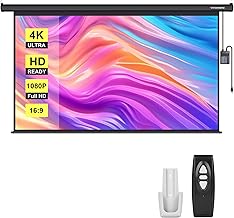
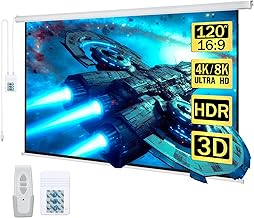
Motorized options, like the VIVOHOME Motorized Projector Screen with Remote, 100 Inch, require even more precision in installation, ensuring the power source is accessible and the housing is perfectly level for smooth retraction and deployment.

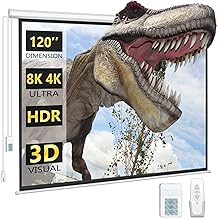
For those needing a motorized screen in the older 4:3 format, the Aoxun 120 Inch Pull Down Projector Screen, HD 4K 4:3 Motorized highlights how aspect ratio drastically changes the height component of your overall projector screen measurements.
Portable and Tripod Screens
Portable screens are favored for outdoor cinema or temporary setups. While the diagonal size is important, the overall footprint of the stand (especially the tripod or frame legs) is the most critical measurement, determining where you can actually set up the screen without obstruction.

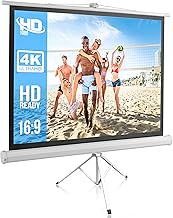
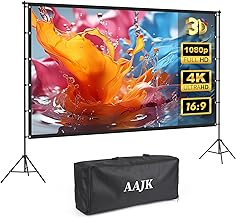
The Outdoor Projector Screen with Stand – 120 inch Portable Projector Screen is designed for portability, meaning the stability and width of the stand legs are key dimensions to measure for setup space.

Similarly, the 100 Inch Indoor and Outdoor Projector Screen with Stand requires checking the footprint of the tripod base, especially when used in cramped indoor spaces.
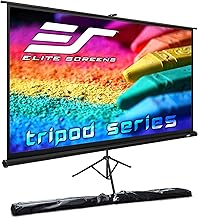
The Elite Screens Tripod, 100-Inch 16:9 Portable Projector Screen with Stand is a reliable solution where the adjustable height of the tripod allows you to fine-tune the bottom edge height for optimal viewing comfort.
Advanced Considerations: Gain and Black Borders
While physical measurements determine fit, optical characteristics like gain and the presence of black borders determine image quality and perceived size.
Screen Gain and Ambient Light Rejection (ALR)
Screen gain refers to the screen’s reflectivity. A gain of 1.0 is considered neutral (reflects light equally in all directions). Screens with higher gain (e.g., 1.5 or 2.0) make the image brighter, but often at the expense of viewing angle. Screens with Ambient Light Rejection (ALR) technology are crucial for rooms with uncontrolled light, as they are engineered to absorb light coming from the ceiling or sides while reflecting the light from the projector lens.
When dealing with high-gain or ALR screens, precise alignment is paramount. Even small errors in projector screen measurements or placement can result in hot-spotting (uneven brightness) or poor light rejection.

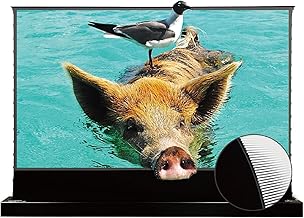
For premium setups, the AWOL VISION 120″ Motorized ALR Floor Rising Projector Screen requires ultra-short throw (UST) projector placement, meaning the measurement from the wall to the projector lens must be exact, often down to the millimeter, to fill the screen properly.
The Importance of Black Borders (Masking)
Most quality screens include a black border (or masking) around the viewing area. These borders serve two main purposes:
- They absorb any stray light bleed from the projector, preventing a messy edge.
- They create a visual frame that dramatically enhances the perceived contrast of the image, making the picture “pop.”
When measuring the screen, ensure you are measuring the actual white/grey viewing area (the diagonal size) and not the overall dimension including the border, unless you are measuring for installation fit.
Smart Tech: The Best Connected Projector Screens
While many screens are simple reflective surfaces, the mechanism and materials used vary greatly, impacting longevity, ease of use, and final picture quality. We have curated a list of top screens based on their measured dimensions and application suitability.
Smart Tech: The Best Connected Projector Screens
The screens listed below are chosen for their versatility, quality construction, and adherence to advertised projector screen measurements, ensuring you get the exact size you pay for, whether for indoor cinematic viewing or outdoor movie nights.
The world of projector screens offers solutions for every scenario, from permanent, high-contrast installations to highly portable setups. Selecting the right product depends heavily on accurately matching the screen dimensions to your room size and projector capabilities.
| Product Name | Diagonal Size (Inches) | Aspect Ratio | Key Feature |
|---|---|---|---|
| Outdoor Projector Screen with Stand | 120 | 16:9 | Portable, 4K HD, Lightweight |
| Mdbebbron Foldable Anti-Crease Screen | 120 | 16:9 | Foldable, Double-Sided Projection |
| Pyle Manual Pull Down Screen | 72 | 4:3 | Manual Pull Down, Auto-Lock |
| Portable Outdoor Projection Kit | 120 | 16:9 | Wrinkle-Free, Stand Included |
| AWOL VISION Motorized ALR Screen | 120 | 16:9 | Motorized Floor Rising, Ambient Light Rejecting (ALR) |
| Silver Ticket Fixed Frame Screen | 120 | 16:9 | Fixed Frame, 1.1 Gain, Wall Mounted |
| Aoxun Motorized Retractable Screen | 120 | 4:3 | Motorized, Remote Control, 4:3 Aspect |
| Elite Screens Manual B | 100 | 16:9 | Manual Pull Down, HD Ready |
| 100 Inch Indoor/Outdoor Tripod Screen | 100 | 16:9 | Tripod Stand, Portable, HD Premium |
| VIVOHOME 100 Inch Motorized Screen | 100 | 16:9 | Auto Electric, HD 4K, Remote |
| Elite Screens Manual Series | 120 | 16:9 | Manual Pull Down, Auto Lock |
| Elite Screens Tripod T100UWH | 100 | 16:9 | Portable Tripod, MaxWhite 2 Material |
| Elite Screens Yard Master 2 | 100 | 16:9 | Outdoor/Indoor, Fast Folding Frame |
Reviewing Top Screen Dimensions and Features
When reviewing these products, note how the diagonal size translates to the physical space required, especially for fixed frame and motorized units which require permanent installation planning.
1. Outdoor Projector Screen with Stand – 120 inch (B0DGBXPKMW)
This screen emphasizes portability and ease of setup. At 120 inches diagonal (16:9), the image area is substantial, requiring about 8.7 feet of horizontal space. Its primary dimension consideration is the stability of the stand, which is crucial for outdoor use where wind is a factor. Users must measure their backyard or patio space to ensure the tripod footprint fits comfortably.
2. Silver Ticket Products STR Series 120″ Diagonal (B00CYLOTPK)
As a fixed frame screen, the projector screen measurements here are permanent. The 120-inch diagonal is precise, and the thin aluminum frame means the overall wall space required is only slightly larger than the viewing area itself. This requires meticulous pre-measurement of wall space and height to ensure proper centering relative to the seating area.
3. AWOL VISION 120″ Motorized ALR Floor Rising (B0CXJ1XBQG)
This specialized screen is motorized and rises from the floor, making the physical dimensions of the housing unit critical for placement in front of a wall or cabinet. Furthermore, as an ALR screen designed for Ultra Short Throw (UST) projectors, the precise distance between the projector lens and the screen surface is the most important measurement, often necessitating exact calibration to avoid image distortion.